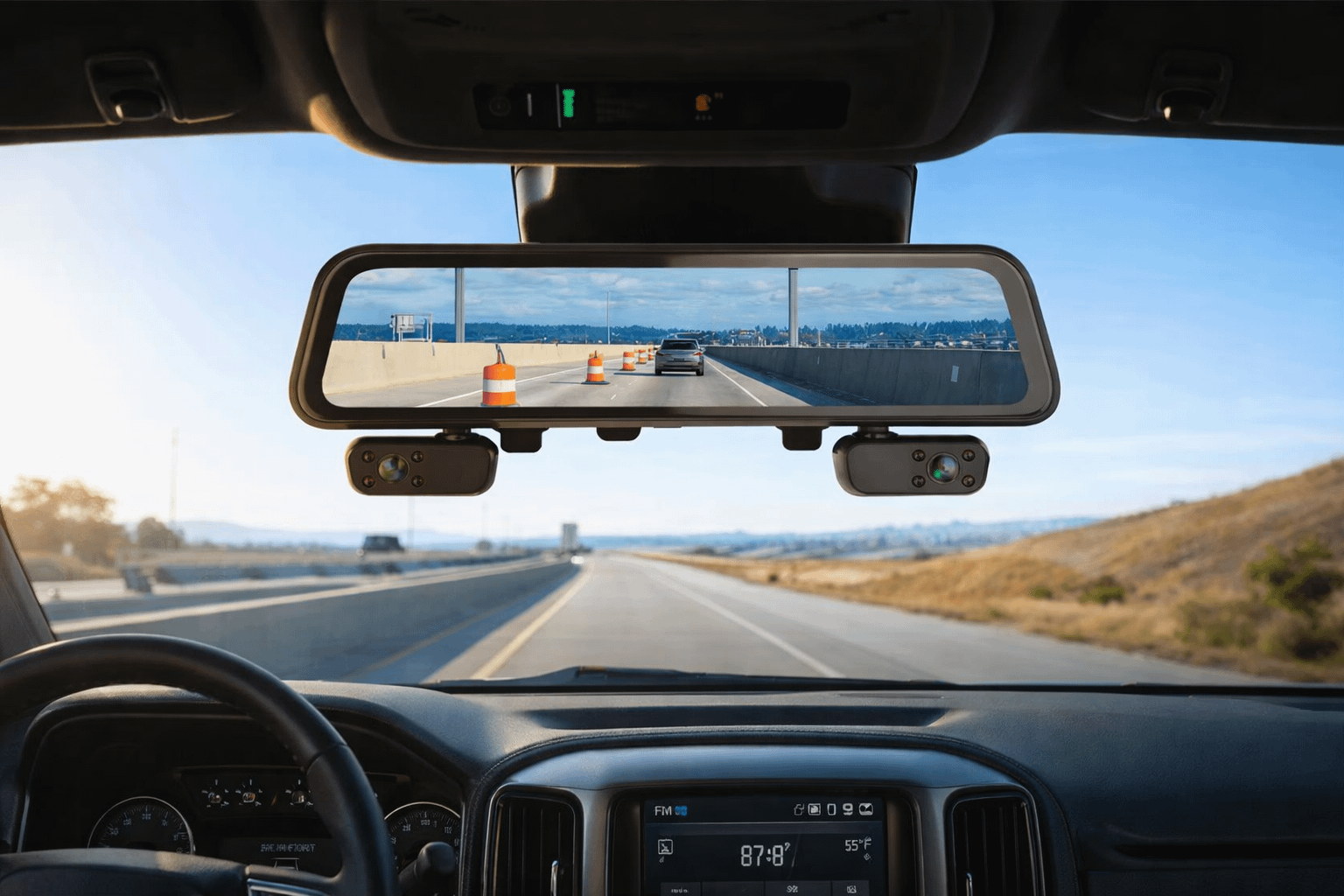
This Rexing M4 mirror dashcam review breaks down the real-world stuff that matters—4-channel 1080p coverage, GPS logging, parking monitoring, install tips, and what to expect when you run more than “front + rear.”
The Rexing M4 mirror dashcam is basically a 12-inch touchscreen rearview mirror that records in multiple directions at once and can act like a streaming rearview mirror with backup-camera behavior. Translation: it’s built for drivers who want coverage—not just “I hope the front cam caught it,” but “I’ve got angles.” If you’ve ever been stuck in a he said / she said / insurance said ‘prove it’ mess, this kind of setup is how you turn drama into files.
Quick Answer
If you want a Rexing M4 mirror dashcam that can record four channels at 1080p and you like the idea of a large, usable 12” touchscreen that can behave like a streaming rearview mirror (plus backup-camera-style switching when wired correctly), this one checks the right boxes. It’s built for commuters, rideshare drivers, families, and work trucks—anyone who deals with blind-spot “mystery moments” and parking-lot nonsense.
Reality check: 4-channel means more wiring, more aiming, and more storage demand than a basic dash cam. If you want dead-simple plug-and-play with minimal cable routing, a standard 2-channel unit may fit your life better. But if you want angles—this is the point of the whole thing.
Quick View
- What it is: A 12” IPS touchscreen mirror-style dash cam that mounts over your existing mirror and records multiple angles.
- What makes it different: Coverage-first design—multi-channel recording + streaming rear view + GPS logging.
- Who it’s for: Drivers who want “receipts” from more than one direction (commuters, rideshare, families, fleet/work trucks).
- What you need to do right: Clean cable routing, correct camera aiming, and a high-endurance microSD card.
Rexing M4 Mirror Dashcam Specs That Matter
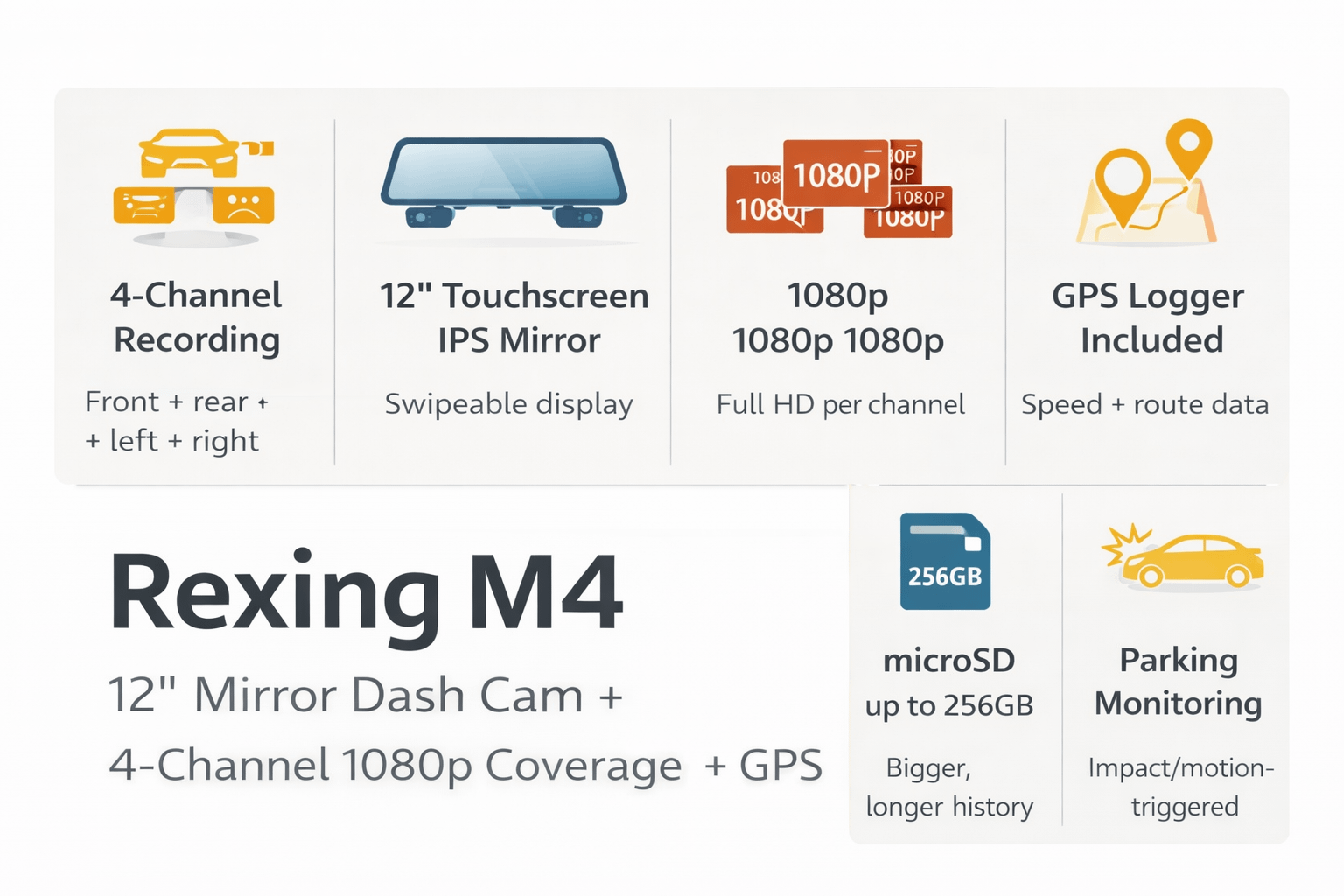
Rexing positions the M4 as a 4-channel mirror system with a 12” IPS touchscreen, 1080p all-around recording, 170° wide angle, streaming rear view, auto backup behavior, included GPS logger, and support for high-endurance microSD up to 256GB.
| Spec / Feature | What It Means in Real Life | Why You Should Care |
|---|---|---|
| 4-channel recording (front + rear + left + right) | More angles captured simultaneously, not just the lane ahead and behind. | Side impacts, merges, parking-lot hits, and “came out of nowhere” moments get less mysterious. |
| 12” IPS touchscreen mirror | Big display, swipeable views, mirror-style form factor. | You’re not squinting at a tiny screen; usability goes way up. |
| 1080p per channel | Full HD across views (aim + clean glass still matter). | 1080p is still the workhorse for usable “insurance footage.” |
| GPS logger included | Speed + route data paired with clips (via Rexing GPS Player). | Stops arguments from becoming “your word vs theirs.” |
| microSD up to 256GB (high endurance) | Bigger storage = longer history before overwriting. | Four channels create more data. Cheap cards die faster. |
| Parking monitoring (power dependent) | Impact/motion-trigger recording while parked when powered correctly. | Parking lots are where integrity goes to die. Park mode is your receipts folder. |
| Streaming rear view / backup behavior | Digital mirror view + reverse-trigger switching when wired. | Blind spots shrink, backing up gets easier, trucks benefit a lot. |
What’s in the Box
From Rexing’s support documentation and manual, the M4 kit typically includes the mirror dash cam unit, a rear camera, the in-car power cable, GPS module, rear camera cable, cable management tool, user manual, and warning sticker. (Exact bundle contents can vary by retailer.)
Beginner note: You can install a mirror dash cam yourself. The success rate goes way up when you treat it like a clean wiring job—not a “stuff it under the headliner and hope” job.
What you may want to add:
- High-endurance microSD card (4 channels will chew cheap cards like beef jerky).
- Hardwire kit if you want true parking monitoring when the vehicle is off.
- Trim tools so you don’t break clips and create rattles you’ll hate forever.
- Add-a-fuse kit if hardwiring (do it safely; don’t be a fuse-tap gremlin).
Installing the Rexing M4 Mirror Dashcam (Clean + Safe)
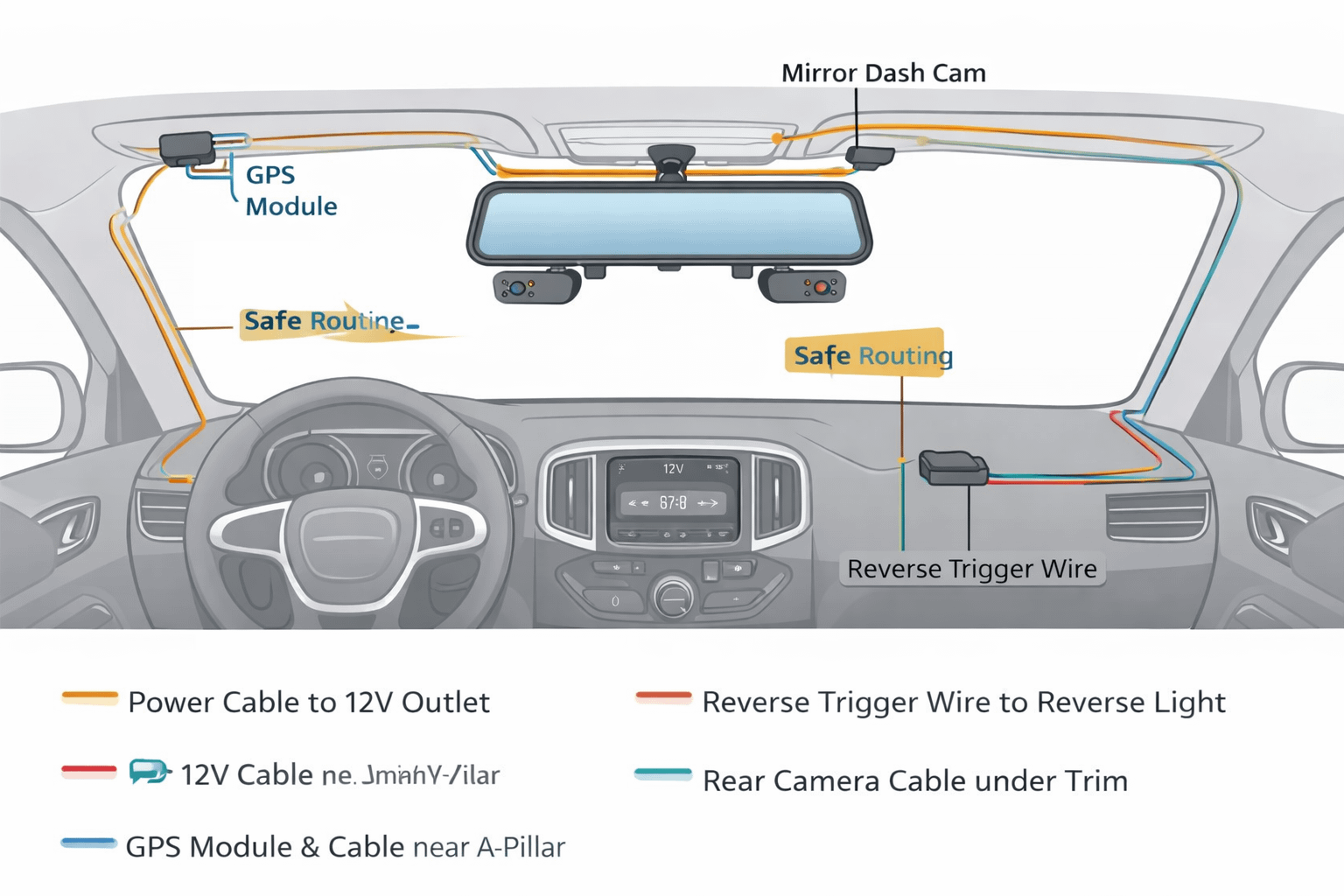
Mirror dash cams are half “camera” and half “wire routing.” The M4 mounts over your existing mirror with straps, then you route cables for the rear camera (and the other channels), plus the GPS module. If you plan to enable reverse-trigger switching or true parking monitoring, that’s where wiring choices matter.
Step 1: Mount the mirror unit
- Strap the unit over the factory mirror and tighten evenly.
- Don’t overtighten into “I can hear plastic cracking” territory.
- Center it in your normal sight line—this is a driving tool, not a TikTok rig.
Step 2: Place the rear camera smartly
Rear camera clarity is all about location. Mounting inside behind tinted glass can work, but tint + defroster lines + dirty windows can reduce clarity. External mounting can improve image quality, but it’s also more exposed to weather and road grime—so you’ll clean it more often.
Pro tip: Before you peel any adhesive, hold the camera where you want it and check the view on-screen. Measure twice, stick once.
Step 3: Power it like a grown-up
Mirror cams pull more power than tiny single-lens units. Use the correct power solution so you don’t get reboots, corrupted files, or random “why is it doing that?” behavior. Underpowered chargers cause weird problems that people blame on the camera.
Step 4: Add the GPS module
Mount the GPS module near the A-pillar area in a position with decent sky visibility. GPS antennas aren’t magic—placement matters.
Step 5: Decide if you want reverse-trigger behavior
If you want the system to auto-switch to the rear camera when you shift into reverse, you typically connect the reverse trigger wire to reverse light power. This is the difference between “it can show the rear camera” and “it behaves like a real backup camera.”
Safety note (seriously): avoid airbags
When routing cables up the A-pillar, avoid running wires across airbag deployment paths. If you’re unsure, route behind factory harness paths or have a pro installer do it. Nobody needs a dash cam cable turning into a slap strap in a crash.
12” Touchscreen + Viewing Modes
A mirror dash cam lives or dies on usability. The big win with the Rexing M4 mirror dashcam style is you’re not squinting at a tiny screen. You can swipe between views, run a split view for setup, and quickly check angles without digging through menus like it’s a 2007 GPS.
Daily-driving view setup ideas:
- Default view: rear streaming mirror view for that modern “digital mirror” feel.
- Front view check: quick swap when conditions are sketchy (rain glare, construction, snow spray).
- All cameras view: use this during setup to aim every lens and confirm coverage.
Beginner note: More cameras doesn’t automatically mean “more usable footage.” Lens angle + aim + clean glass is the difference between “case closed” and “welp, that’s a lovely video of my dashboard.”
Loop Recording, Locked Events, and File Hygiene
Dash cams are designed to loop record. That’s not a flaw—that’s the whole point. You’re not supposed to manually delete files forever like it’s 2003. The cam continuously overwrites the oldest unlocked footage, while impact events (or manual locks) preserve important clips.
Why loop recording matters
Loop recording turns a dash cam into a rolling window of evidence. If something happens, you pull the clip. If nothing happens, the camera quietly overwrites old footage and keeps moving forward. That’s exactly what you want.
Event locking
When the G-sensor detects a significant impact, it locks the current clip so it won’t be overwritten. This is your “insurance moment” safety net—assuming the sensor sensitivity isn’t set too high (more on that below).
SD card hygiene
Four channels write a lot of data. Reliability comes from using the right card and keeping the file system clean.
| Maintenance Task | How Often | Why It Matters |
|---|---|---|
| Format microSD in-camera | Before first use; then monthly | Reduces corruption risk and keeps loop recording stable. |
| Check angles + clean lenses | Monthly (or after big temp swings) | Vibration and seasonal changes can shift aim; dirty lenses kill clarity. |
| Review locked/event folder | After any incident | Pull clips quickly before you forget and the world moves on. |
| Confirm settings after firmware updates | Whenever updated | Updates can reset or alter behavior—verify your config. |
G-sensor tip: If your event folder fills up with “locked” clips every time you hit a pothole, lower sensitivity. If it never locks anything, raise it slightly. You want it to catch real impacts—not aggressive speed bumps.
GPS Logger
GPS isn’t about bragging rights. It’s about context. The Rexing M4 mirror dashcam includes GPS logging, and Rexing provides a desktop GPS player to review speed/location data alongside video.
What GPS gives you:
- Speed data tied to specific clips
- Route/location context during playback (depending on the player view)
- Timeline confidence when pulling footage for claims or disputes
Tell-it-like-it-is: GPS can’t fix bad camera aiming, and it won’t turn night footage into Hollywood. But it can stop “you were going 95” arguments from becoming a circus.
Parking Monitoring
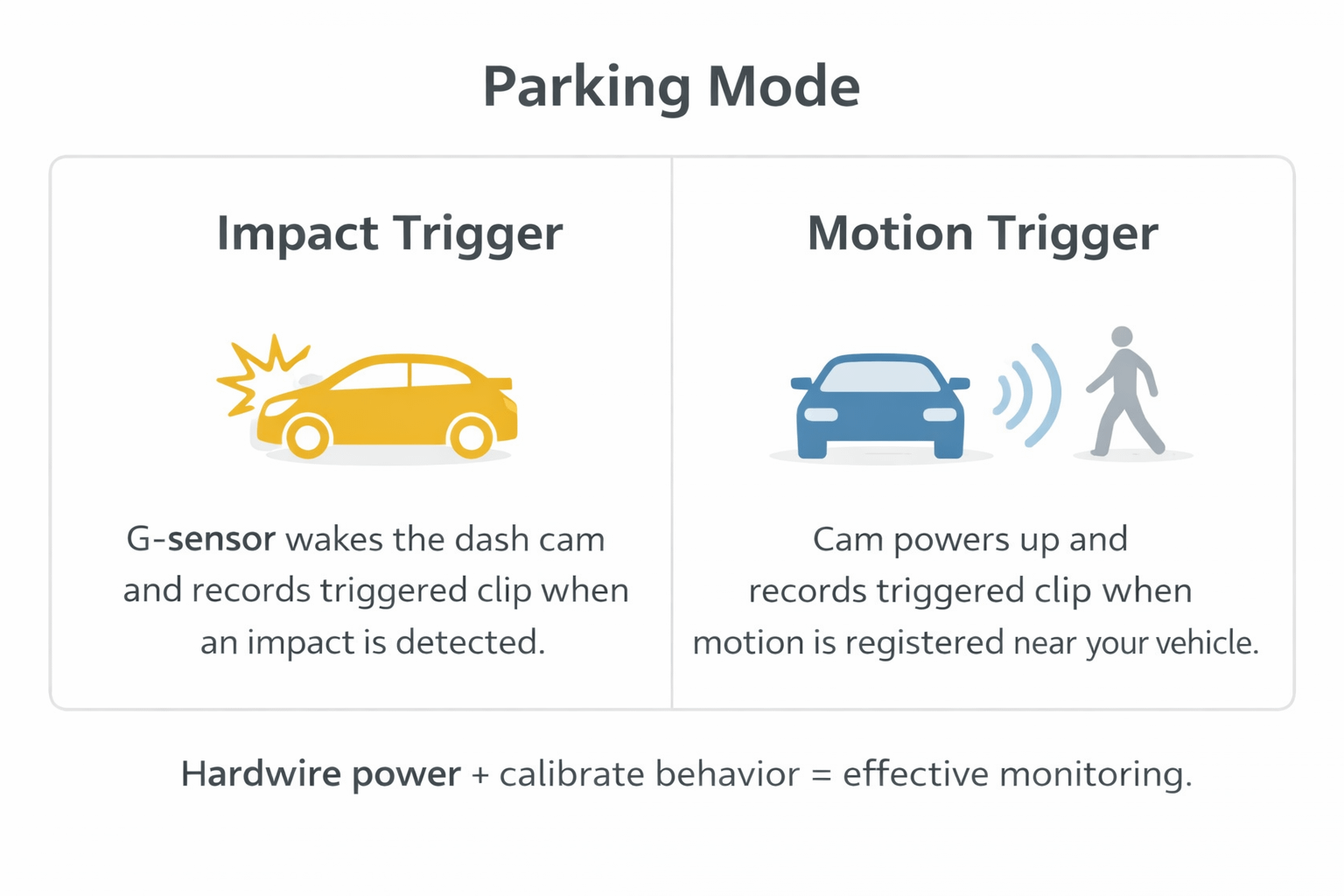
“Parking mode” is one of the most misunderstood features in dash cam land. Here’s the simple truth: if your camera doesn’t have power when the car is off, it can’t watch your car while it’s sleeping. True parked coverage usually means hardwiring with the correct kit.
1) Impact-triggered parking recording (G-sensor)
This is the “something hit the car” scenario. The camera detects a significant movement/impact and locks a clip. Depending on your power setup, it may wake and record or simply lock the current segment.
2) Motion-detection parking recording (hardwire kit behavior)
With an intelligent hardwire kit, the camera can power up when motion is detected and record until motion clears (again, behavior depends on settings and wiring). This is what people usually think parking mode means.
Beginner reality check: If you’re plugged into a 12V outlet that turns off with the ignition, don’t expect miracles. Plan power, or accept “driving only” coverage.
Streaming Rearview + Backup Camera Behavior
The M4 concept is built around streaming rear view and backup-style behavior. If you wire the reverse trigger correctly, the system can auto-switch to rear camera view in reverse. That’s the difference between “nice gadget” and “actually useful every day.”
Why this matters:
- Blind-spot reduction: helps when your rear window view is compromised (cargo, headrests, tint).
- Parking confidence: reverse-trigger switching feels like a real backup cam.
- Work truck usefulness: trucks and SUVs often benefit more because rear visibility gets blocked by “life.”
Night Vision + Cabin IR
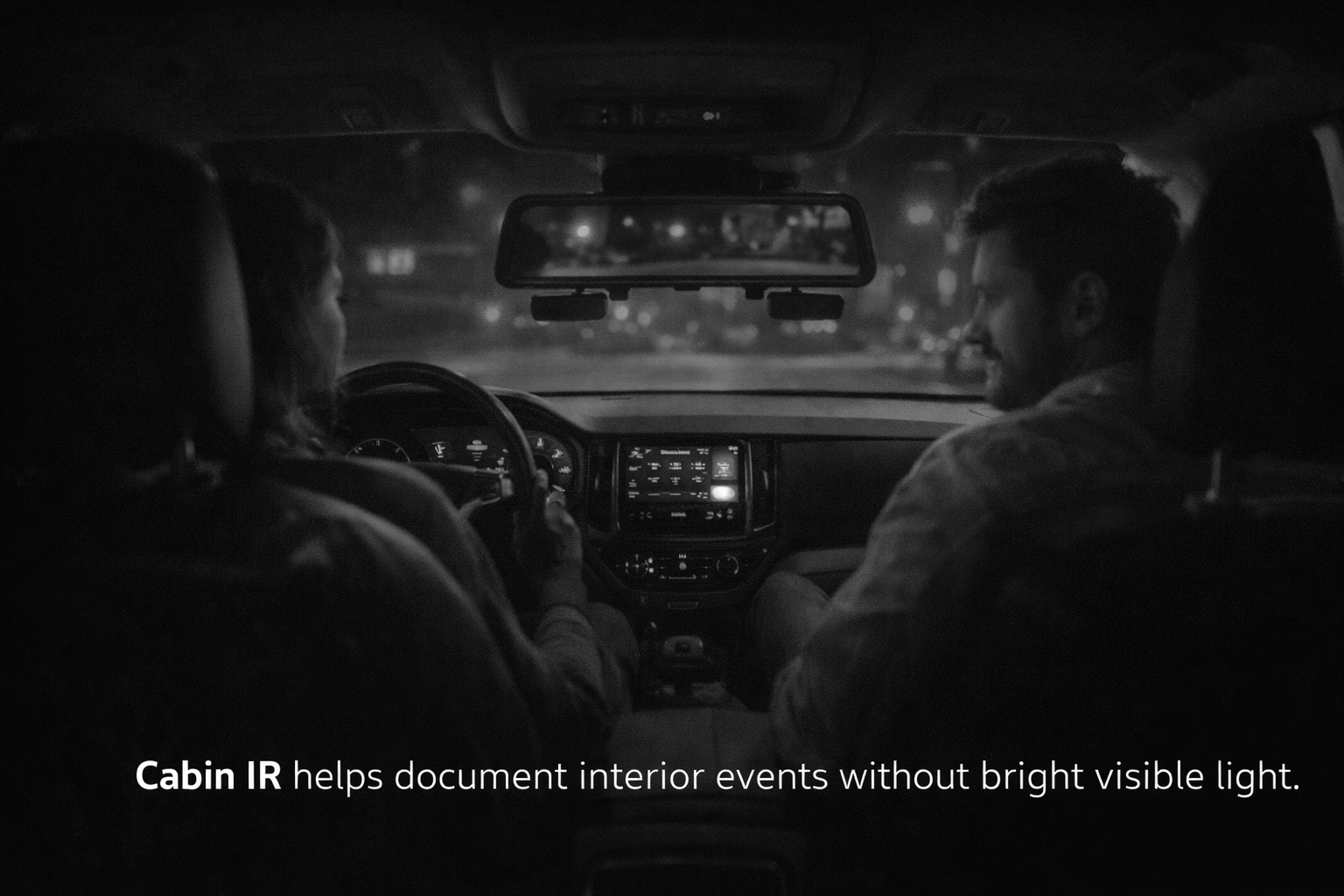
Night performance is always part sensor, part glass cleanliness, and part “physics doesn’t care about your marketing brochure.” Night vision on dash cams is an enhancement, not superhero vision. Clean the glass, aim lenses correctly, and set brightness so headlights don’t turn into a white blob.
Best practices for better night footage:
- Clean windshield area in front of the lens (inside and outside).
- Avoid aiming at reflective interior surfaces.
- Adjust exposure/brightness so details stay visible without blowing highlights.
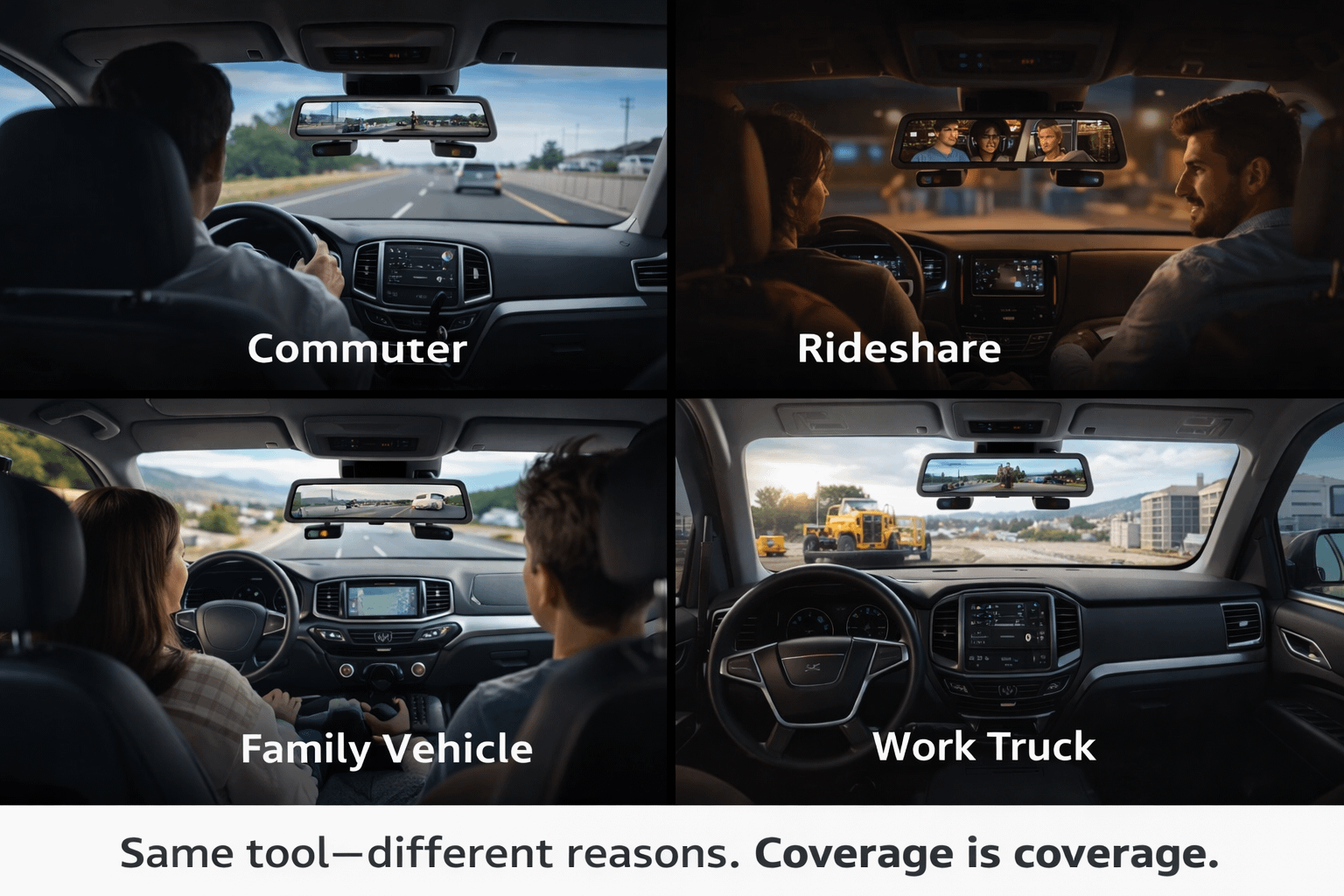
Real-World Use Cases
1) Commuters
If your daily drive includes merges, construction funnels, and the occasional “that guy just teleported,” side coverage is the hidden value of a multi-channel system. Front/rear cams catch the obvious. Side angles catch the “came from my blind spot at the worst moment” stuff.
Mirror cams are useful here because they’re functional and discreet. Interior/night capture can be valuable for documentation. Always check your local laws and platform policies around audio/interior recording.
3) Families & teen drivers
This is one of the most underrated use cases. It’s not about spying. It’s about having objective footage when a new driver gets blamed for something—or when coaching needs facts instead of feelings.
4) Fleet vehicles & work trucks
Work trucks live in parking lots and job sites where “mystery damage” happens. Multi-angle coverage + parked monitoring (powered correctly) can save a lot of arguing.
M4 vs Common Alternatives
Don’t shop mirror dash cams like tiny windshield cams. The question isn’t only “best image quality.” It’s:
- Do you want a mirror display you actually use?
- Do you want more angles (coverage) more than peak resolution?
- Are you willing to route wires cleanly so the features work?
| Decision Point | M4 (Mirror + Multi-Channel) wins if… | 2-Channel Standard Dash Cam wins if… |
|---|---|---|
| Install complexity | You’re okay routing cables and dialing angles. | You want minimal wiring and a fast install. |
| Coverage needs | You care about sides/blind-spot incidents. | Front/rear is enough for your driving environment. |
| Display preference | You want a large touchscreen interface. | You prefer a small “set-and-forget” unit. |
| Parking behavior | You’ll hardwire for true parked coverage. | You don’t care about parked coverage. |
Pros & Cons
✅ Pros
|
⛔ Cons
|
FAQs
Does the Rexing M4 mirror dashcam record all cameras at once?
Yes—this model is designed for multi-channel capture. Multi-channel recording is the whole reason this format exists.
What size memory card should I use?
Use a high-endurance microSD card and size it based on how many channels you run and how long you want your rolling history. If you treat your dash cam as evidence, don’t cheap out on storage.
Do I need to hardwire for parking monitoring?
If you expect the camera to watch your vehicle while it’s off, you typically need a hardwire solution. Parking mode without power is like a security guard who clocks out at 5 PM and locks the door behind him.
How does auto backup-camera switching work?
Reverse-trigger behavior usually requires connecting the trigger wire to reverse light power. If you don’t wire it, you can still view the rear camera—but it won’t automatically switch like a factory system.
Final Verdict
The Rexing M4 mirror dashcam is for drivers who want coverage more than minimalism. If you deal with blind-spot drama, parking lot nonsense, and “came out of nowhere” moments—and you’re willing to install it cleanly—this format is practical. Aim it right, route wires safely, feed it a high-endurance card, and it becomes a quiet witness that doesn’t forget details.
If you want the simplest possible install with the fewest wires, choose a basic 2-channel cam. But if your goal is angles and a big usable display, the M4 concept makes sense.
Links
1) Rexing product page:
2) Rexing USA listing:
3) Rexing M4-4 user manual:
4) Rexing H2 Trail Camera Review:
I blog often and I truly appreciate your content.
This article has really peaked my interest. I am going to take a note of your site and keep checking for
new information about once per week. I subscribed to your
RSS feed too.